




Happyjokers App: Mobile Casino Application
If your location is limiting your gaming experience, our Happyjokers App can cleverly solve that problem. Thanks to it, you don’t have to think about how you can access your favorite titles. All you need is a stable internet connection.



What the Happyjokers App Is
The mobile app is a web-based solution that is available to all users of the Happyjokers Casino platform. Its interface follows the same layout as the main website and offers a full gaming experience. You can:
- enjoy online slots and table games
- participate in tournaments
- hunt for bonuses
- try out demo versions of our titles
- make safe payments
- get help via live chat
That’s why experienced players already familiar with the platform can quickly adapt to the mobile version. And newcomers who decide to start with the Happy Jokers application will easily navigate the main sections.
Benefits and Features of the Happyjokers App
Every player has their own preferences for convenience, so we offer several ways to access the platform. Happyjokers Casino allows you to choose the option that suits you best or switch between desktop and mobile devices.
| Feature | Happyjokers Desktop Website | Mobile App (PWA) |
| Access | Requires a PC or laptop | Available 24/7 from any mobile device |
| Launch | In a browser tab | Standalone app (home screen icon) |
| Speed | Standard | Faster (thanks to caching) |
| Notifications | Limited | Supports push notifications |
| Resource Usage | Uses computer resources | Saves device storage space |
Mobile Application for iOS
iPhone users can easily install the Happyjokers App. It is optimized for iOS and works reliably regardless of your device’s version. The app also doesn’t need a lot of processing power, so it performs just as well even on earlier Apple models.
Players who use such devices can experience how well the mobile software adapts all sections to small screens and keeps the same atmosphere and functionality.

Happyjokers App for Android
Our app is also suitable for Android devices. After installation, you can launch Happy Jokers from the icon on your home screen, get notifications, and use all its features. The app doesn’t need regular updates: the entire game collection always stays up to date, and your bonuses, promotions, and winnings remain unchanged.
Live Casino also works without a hitch: when you launch Happyjokers on Android, you don’t have to worry about freezes or loading errors, because everything runs just as well as in the standard browser version.
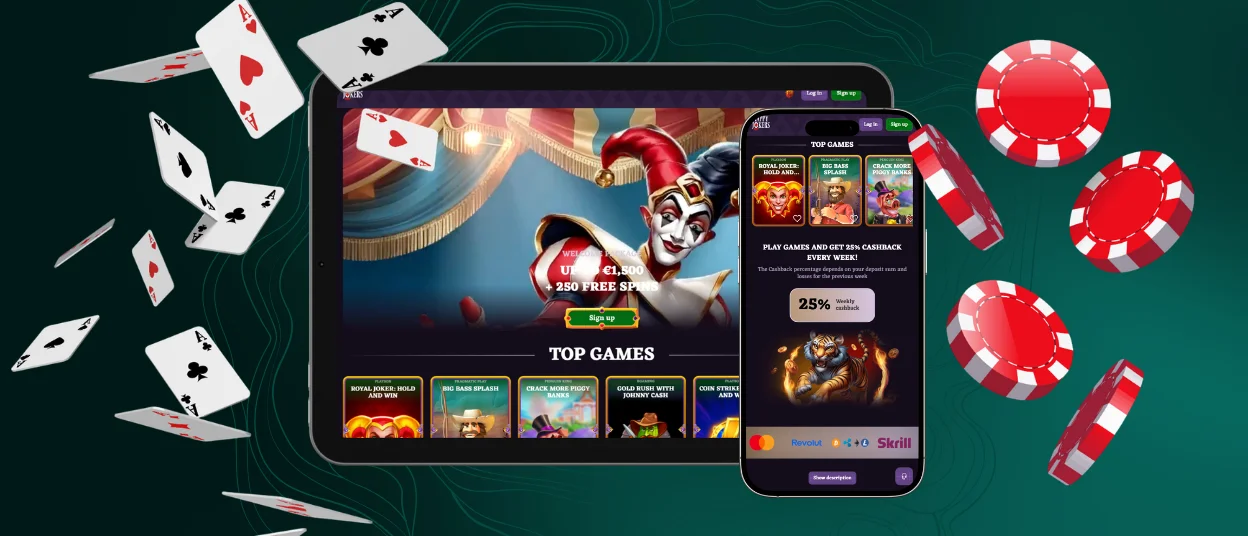
Play Happyjokers Casino on Mac or Windows
For those who would like to enjoy all the benefits of the Happy Jokers App but don’t want to sacrifice a large screen and high-resolution graphics, we offer a desktop version for Mac and Windows. Just like the mobile app, it doesn’t require a download from the App Store or Google Play. The Happyjokers Casino platform is compatible with all browsers, so you can run it in:
- Google Chrome
- Safari
- Firefox
- Opera
- Microsoft Edge, and others.
It can also save your login details with your consent, providing even faster access to your account and game sections. And if you have any issues, the Happyjokers application has a built-in live chat that lets you contact our support team.
How to Install the Happyjokers App on Any Device
The app installs in just a few seconds. To get the latest version of Happy Jokers, simply:
- Visit our website from a mobile device.
- Click on the gold-and-green icon that looks like a smartphone.
- In the window that opens, click the Install button.
- Wait a few seconds and enjoy the full functionality of the app.
Now you’re all set: if you’re already logged in, you won’t need to re-enter your details or go through the verification process. You can start using the Happyjokers application right away and see how convenient and feature-rich it is.
At the same time, the mobile software doesn’t download as a regular program and doesn’t take up extra space on your device. That means all future updates to your account or game library of the Happyjokers App will be done automatically.

FAQ
What is a PWA, and how is it different from a regular app store download?
PWAs are websites that work like applications and have similar attributes, such as icons. Unlike standard mobile software, they don’t need to be downloaded from an app store. You can install our solution directly from the Happyjokers Casino platform, so the process is much simpler and faster.
Do I need to create a new account to use the Happy Jokers mobile version?
If you already have a profile, you don’t need to do this: your information and activity will be available in the mobile version. But if you don’t have an account yet, you can sign up and complete a quick verification.
Can I remove the shortcut without losing my account or game history?
If you remove the shortcut, you will only lose its display. Your account is stored on the server, so your login details and other important information will be safe. But if you accidentally delete the Happy Jokers App shortcut, don’t worry: just go to our website and click the Install button again.
Can I use Face ID, Touch ID, or fingerprint login with the Happyjokers App?
Our solution is a progressive web app, so the ways to log in are different from the usual ones. If your browser supports one of the mentioned authentication methods, you can use it. But to get quick access to Happyjokers Casino, you just need to save your password: we don’t require any extra steps.
Is the verification process available through the mobile version?
The mobile version offers the same functions as the website, so you can activate your account on any platform: just provide the information that we request, and then all that’s left to do is complete the verification process.


