




Happyjokers Login & Registration
The Happyjokers login process gives you many more options than simply browsing our website as a guest. After going through a few easy steps, you can not only enjoy a large collection of our exciting games but also start winning real money. And luckily, registration takes less than a minute.



Happyjokers Casino Registration
We pay great attention to the safety and ethical nature of our players’ gaming experience. For this reason, only those who are at least 18 years old can become members of Happy Jokers. If you meet our eligibility requirements, you can have full access to all of our platform’s features and title collections.
How to Create an Account at Happyjokers Casino?
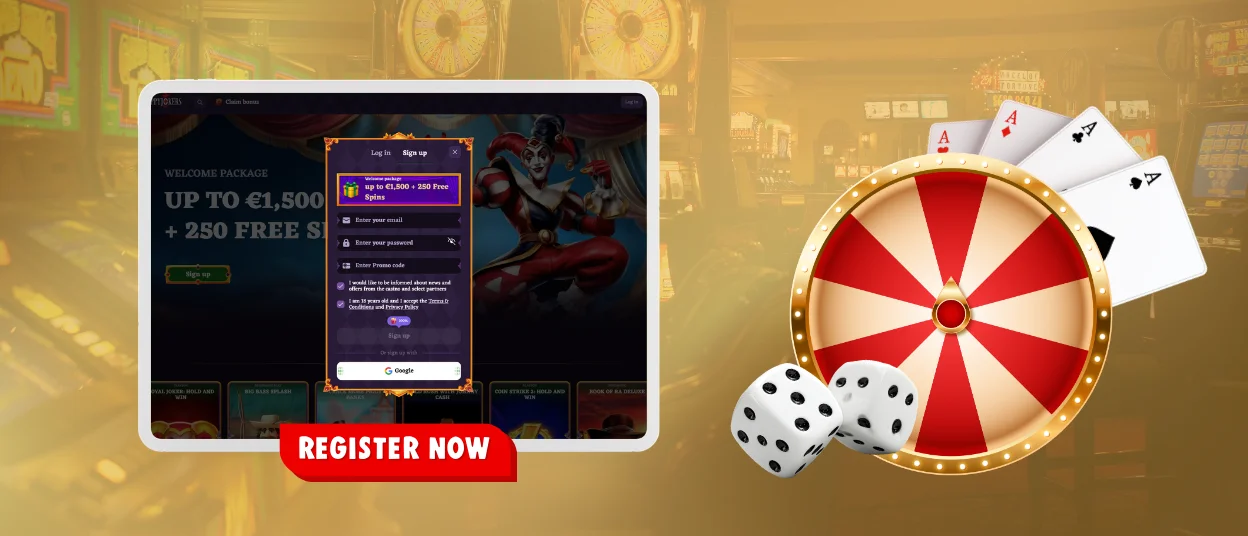
Our Happyjokers registration process takes a few simple steps. To get started, just visit our website. You can do this via your browser or our app:
- Click Sign Up in the top right corner or on the homepage.
- Enter your email and promo code (if available).
- Create a password.
- Confirm your age.
- Fill in your name and date of birth.
Then you will receive a notification that your profile has been successfully created.
Log In and Manage Your Happy Jokers Account
The Happyjokers login process is very similar to registration: you need to click the Log In button on the right side of the header. This time, you have to enter much less data to complete the authorization – just your email and password. If you saved your credentials in the browser during your first session, you won’t need to enter them again in the future: the process will be completed automatically.
Once your profile is active, you can manage its main sections.
| Account sections | What you can do |
| Profile | Update your personal info and login details |
| Wallet | Add money and withdraw your funds |
| Loyalty Program | Check bonuses and special offers |
| History | View your games and transactions |
| Invite Friends | Invite friends and earn rewards |
| Notifications | Manage your alerts and updates |
| Help Center | Get help and find answers (FAQ) |
| Log Out | Sign out of your account |
How to Log In via Mobile App
Our platform is available on both large and small screens. With the Happyjokers app, you can enjoy playing on your smartphone. To get started, simply find the dedicated icon in the footer of the official website and install the application on your device. After that, enter your credentials to access your account in a more convenient format. Like the desktop version, the mobile app can save them, so next time you’ll just need to tap the shortcut to sign in.
Forgot Your Password?
If you don’t remember your Happyjokers login details, you can easily reset them. Just click the option below the form: you’ll be asked to enter the email address used during registration. Then you’ll receive all the instructions – simply follow the link to set a new password. We also recommend that you save it so you won’t have to retype it in the future.
Happy Jokers Casino Verification
It is very important to us to protect our players’ personal data and bank details. To fully activate your account and make financial transactions without limitations, you need to complete the verification process before your first withdrawal.
As part of the check, we may request these documents:
- copies of your ID card or passport
- copies of your utility bills
- copies of your debit or credit card
Please keep in mind that all documents you provide to Happyjokers Casino must be valid and genuine. As soon as our moderators finish their check, you can keep withdrawing funds freely.
Common Problems and Quick Fixes
The Happyjokers login process can sometimes be difficult for various reasons. Because of this, our players cannot get the gaming experience that they would expect. If this happens to you, you can describe your situation to our customer service team, which offers 24/7 multilingual support. But in some cases, it’s enough to check a few potential sources of the problem:
| Issue | Possible reasons | Solution |
| Incorrect username or password | Caps Lock may be on or your browser may have saved an old password | Review the information that you have entered or use the password recovery option |
| The password reset email has not been received | The email might be in your spam folder or you may have entered the wrong details | Open your spam folder or try again |
| Account is blocked | This can happen due to rule violations, suspicious activity, or too many failed login attempts | Contact our support team via live chat |
| Access is restricted | Happyjokers Casino may not be available in your country, or you might be using a VPN/proxy | Turn off your VPN or check availability in your location |
| Technical problems | This may be due to an outdated browser or server-side factors | Try updating it, clearing the cache, or switching devices |
| The website is loading slowly | Your connection may be unstable or the server might be under heavy load | Check your internet or try again later |
FAQ
Can I add a promo code after I have already completed the Happy Jokers registration?
This option is only available during registration at Happyjokers Casino. You have to enter it at this stage; otherwise, it won’t be valid later.
What should I do if the system says my password is incorrect, but I’m sure it isn’t?
Check if Caps Lock is on or if your browser is saving outdated Happy Jokers login details. Just type your data again or request a password reset.
How do I update my phone number or other contact details in my account?
Each user of the Happy Jokers Casino can edit their information in the Profile section. Please note that in some cases, we may require additional ID checks.
Can I log in to Happyjokers on multiple devices at the same time?
You can visit our platform via a browser or through the mobile app. But for security reasons, we limit simultaneous sessions. So we ask you to use only one preferred Happyjokers login method at a time.
Can I still play and deposit while my verification is being reviewed?
We do not restrict our players’ gaming activity or prevent them from managing their balance. But if you want to withdraw funds from your Happyjokers Casino account, you’ll need to complete an identity confirmation process.


